
Overview
The Patient Population tab of the Home Health Agency Analyze page of Trella Health Trella Insights for Home Health provides detailed patient demographics for the patients admitted to the selected home health agency. The metrics are found under the Patient Population tab.

 In this article
- Chart View
- Patient Volume - Home Health
- CMS Payer Mix
- County
- Market Share - County
- Patient Acuity/Diagnostic Mix
- Chronic Conditions
- Patient Age
Chart View
At the top left of the page you will find a toggle icon that allows you to turn chart view on and off. With chart view on, some content will be shown as a chart, with chart view off, most content on the page will be shown in tables.
 Not all tables have a chart view, and some charts don't have a table view.
Chart View On |
Chart View Off |
 |
 |
|
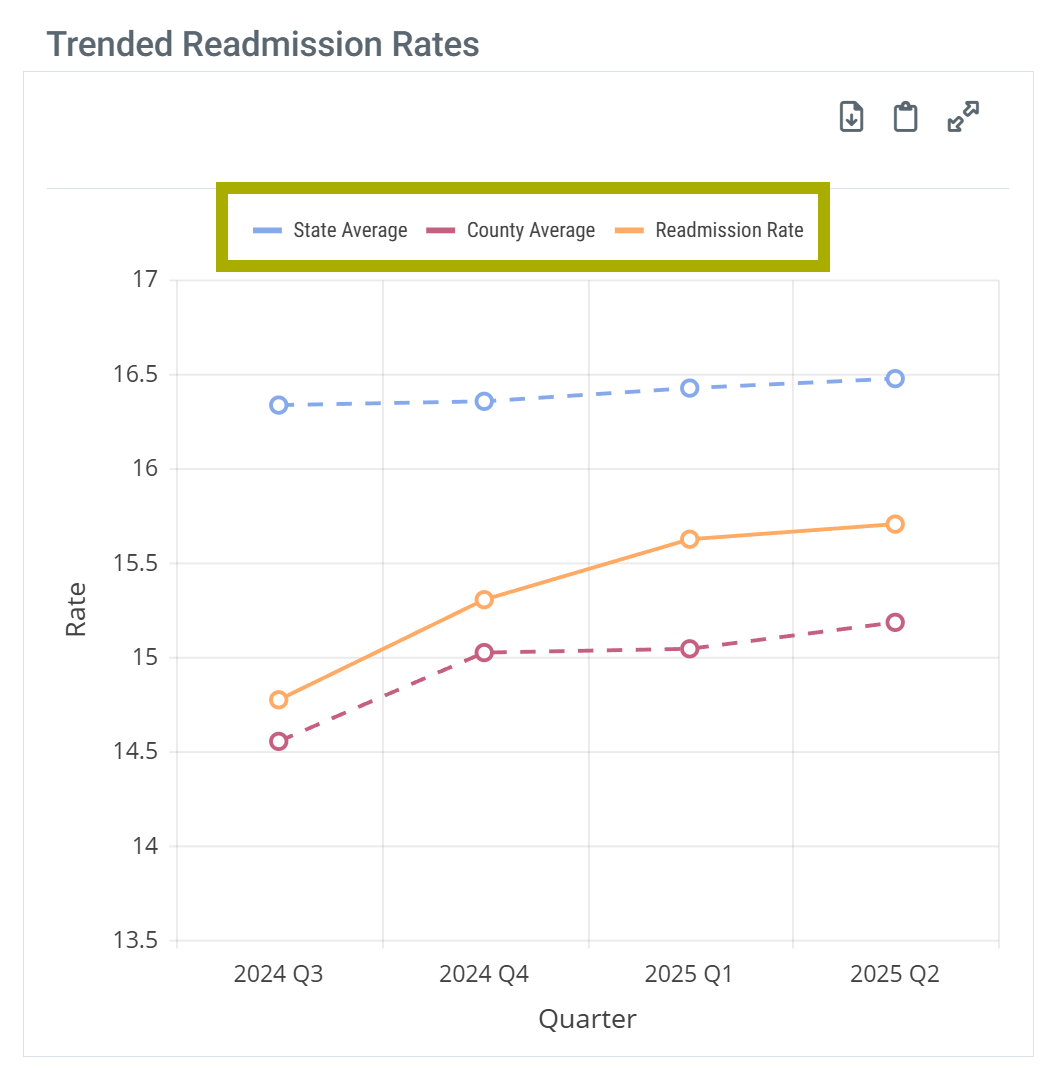
Legend - Some charts have a legend that identifies the elements in the chart. Each different identifier in the legend can be toggled on and off to display or hide the matching elements in the chart. Hovering over an identifier highlights the related elements in the chart.
| |
 |
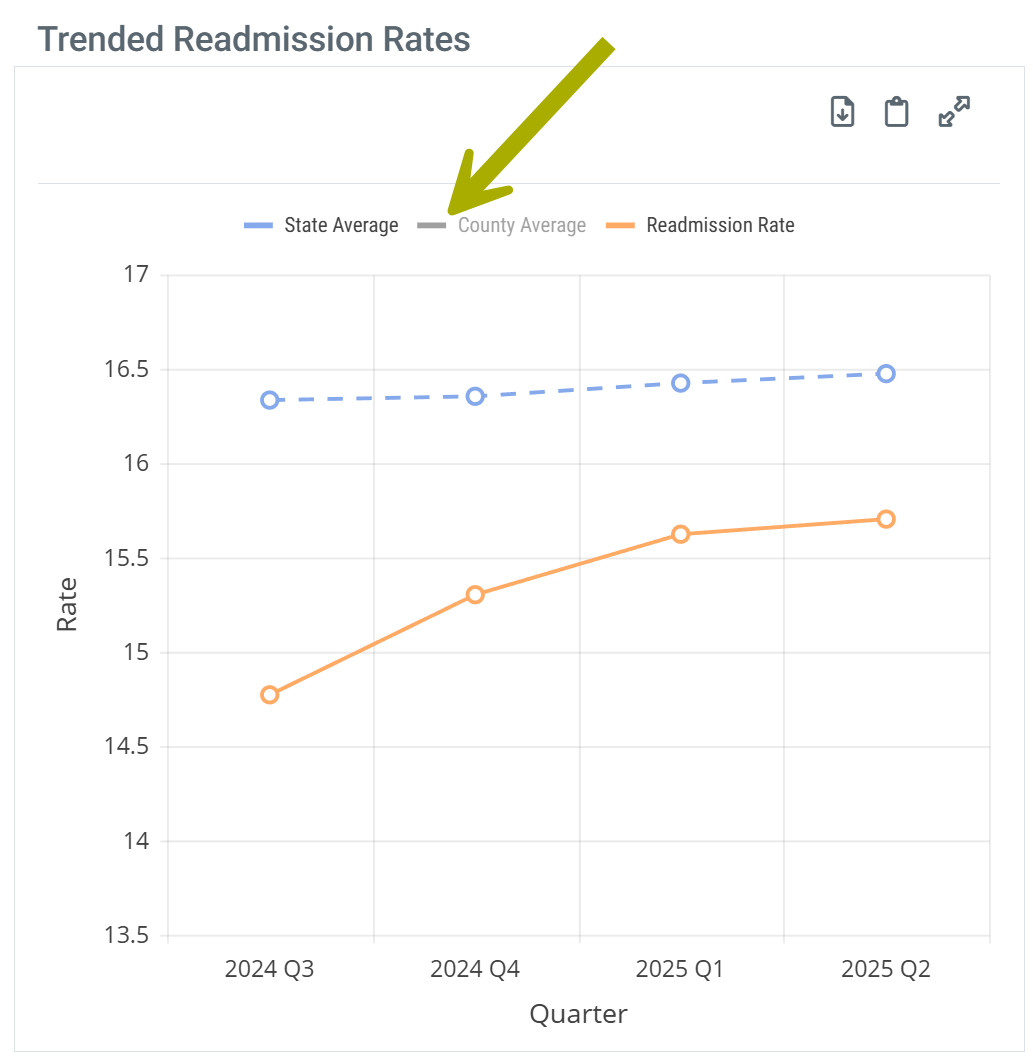 |
 This feature allows you to customize what is displayed in the chart.
 |
Understanding the Metrics
Patient Volume - Home Health
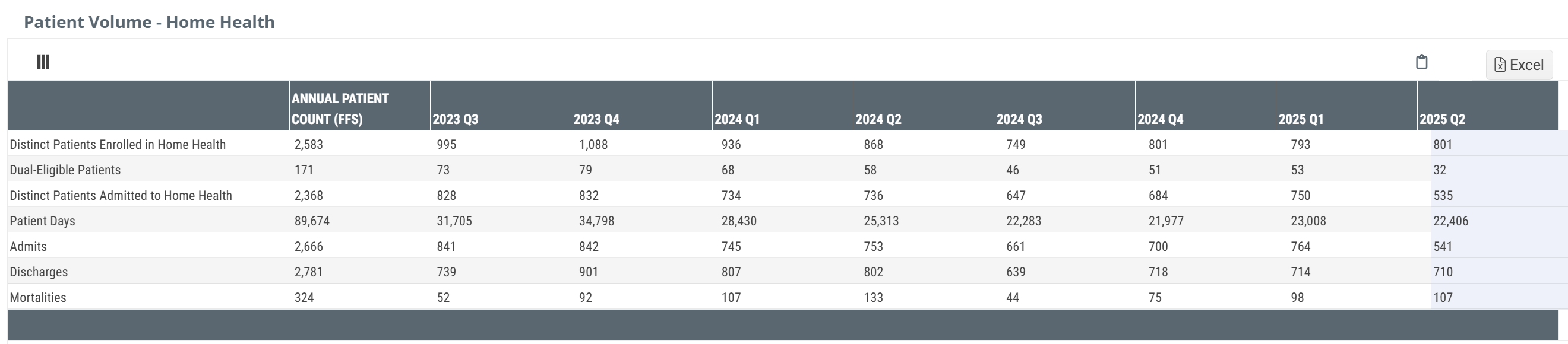
The Patient Volume table shows trended counts of patients admitted to the selected home health agency.
Chart View and Table View
|
Off
|
 |
|
On
|
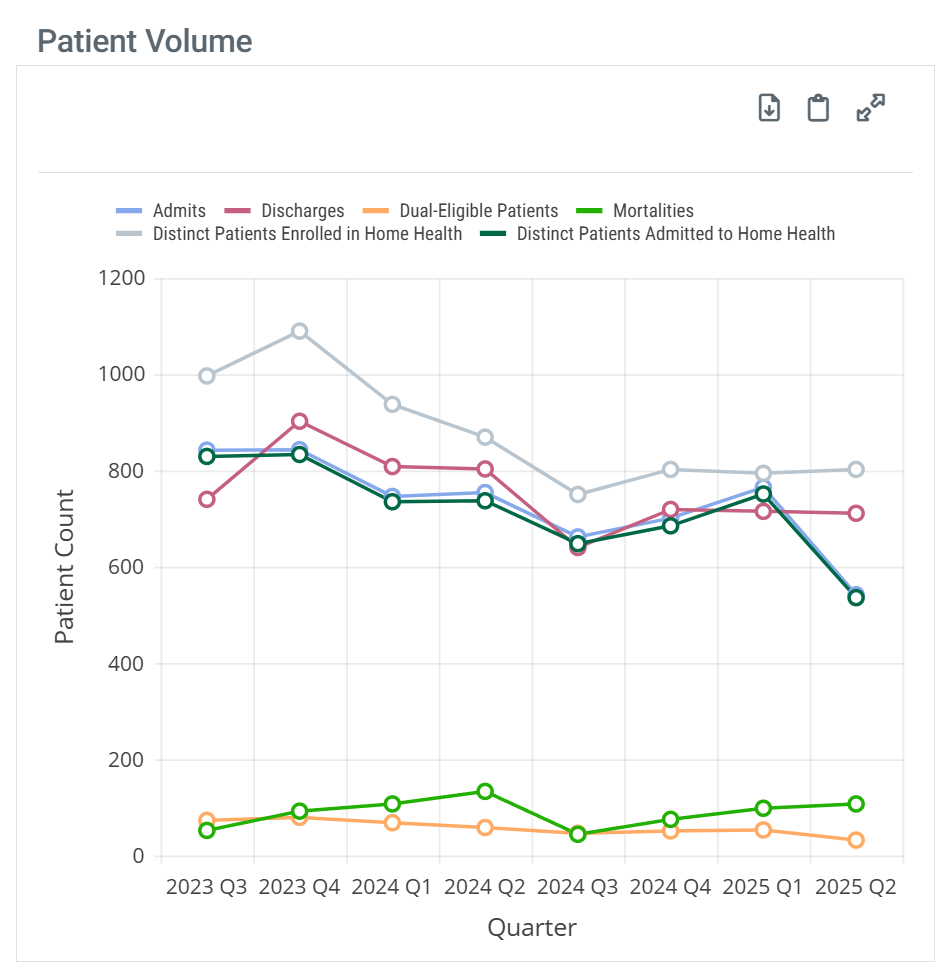 |
| When you hover over a column in the Patient Volume chart, the metrics for the different patient counts represented in that column are displayed. | 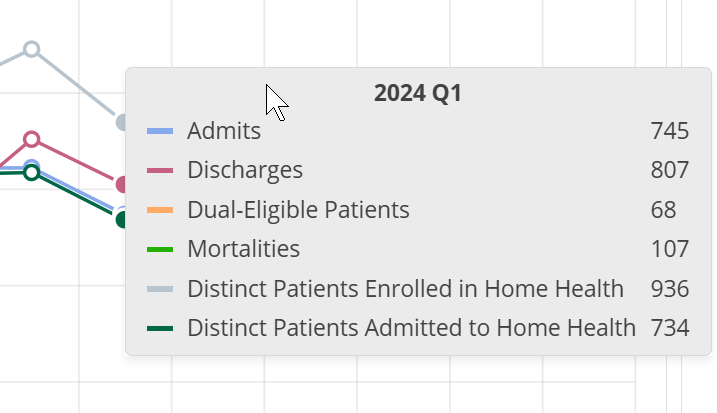 |
|
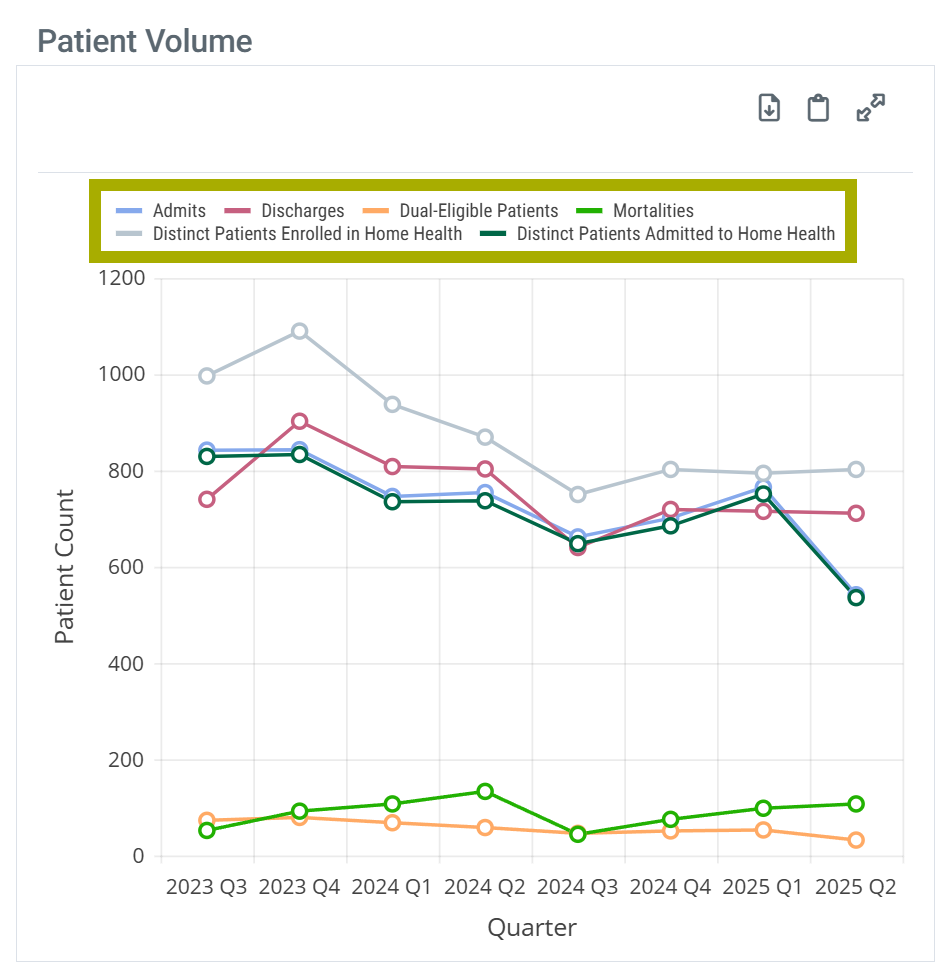
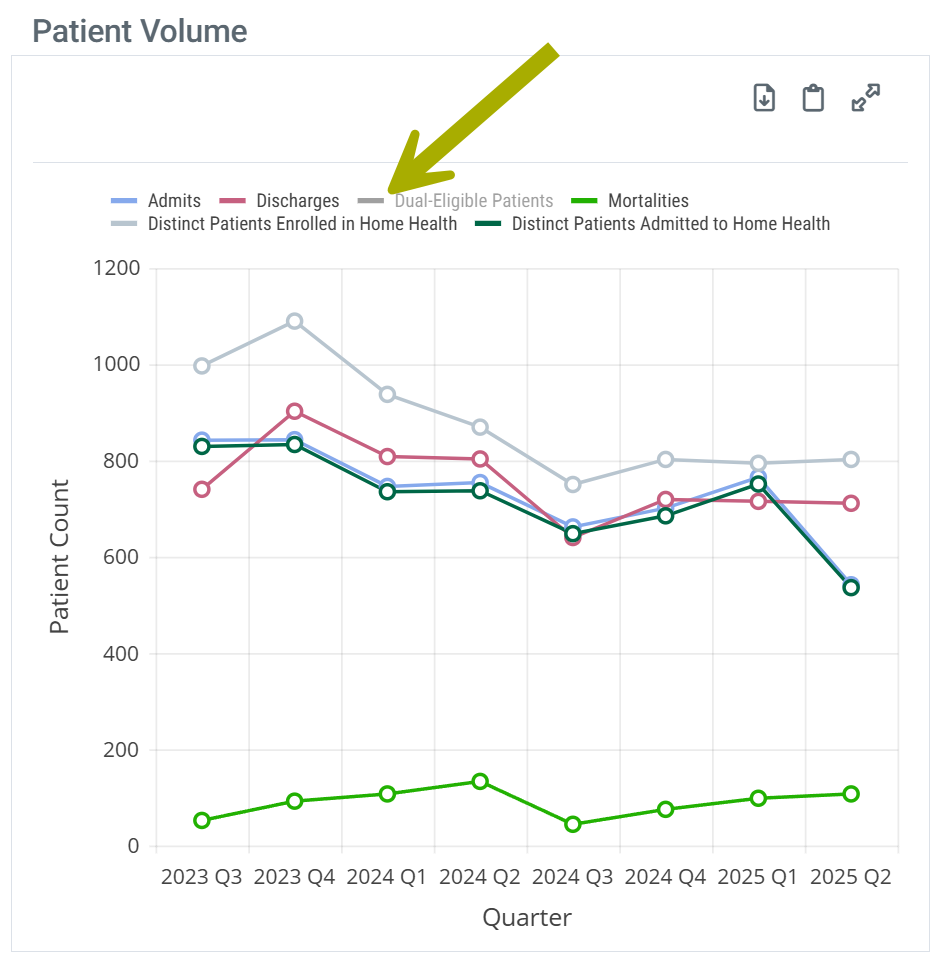
With chart view on the Patient Volume chart has a legend that identifies the elements in the chart. Each different identifier in the legend can be toggled on and off to display or hide the matching elements in the chart. Hovering over an identifier highlights the related elements in the chart.
| |
| Chart Legend | Legend Customize |
 |
 |
Understanding the Metrics
The table shows patient counts for the most recent year of available data and counts for the most recent 8 quarters. Each row includes metrics for a different set of patients admitted to the selected home health agency.
Columns | |
Metric Name |
Description |
| Annual Patient Count (FFS) |
For each row, this column provides distinct patient counts for the most recent year of Medicare FFS data available.
 |
| 20YY QX | For each row, this column displays distinct Medicare FFS patient counts for the quarter listed in the header. |
Rows | |
| Distinct Patients Enrolled in Home Health | The count of distinct Medicare FFS patients enrolled in the selected home health agency during the period listed with at least one claim during the specified period. Distinct patients are only counted once even if enrolled more than once in the specified period. |
| Dual-Eligible Patients | The count of distinct Medicare FFS Patients treated by the selected home health agency who were also eligible for Medicaid coverage during the period identified in the header |
| Distinct Patients Admitted to Home Health | The count of distinct Medicare FFS patients admitted to the selected home health agency during the specified period. |
| Patient Days | The sum of days spent in home health for Medicare FFS patients who were treated by the selected home health agency during the period identified in the header. |
| Admits | The count of distinct Medicare FFS home health admissions to the selected home health agency during the specified period. |
| Discharges | The count of distinct Medicare FFS home health discharges from the selected home health agency during the specified quarter. |
| Mortalities | The count of distinct home health agency patients who died during the specified period who were discharged from the selected home health agency within one year of death. |
 The most recent data sets are identified at the top right of every page in Trella Insights.
 The most recent quarter of data is incomplete. For more information, see Why is the Latest Quarter of Home Health Metrics Lower and Highlighted?
|
CMS Payer Mix
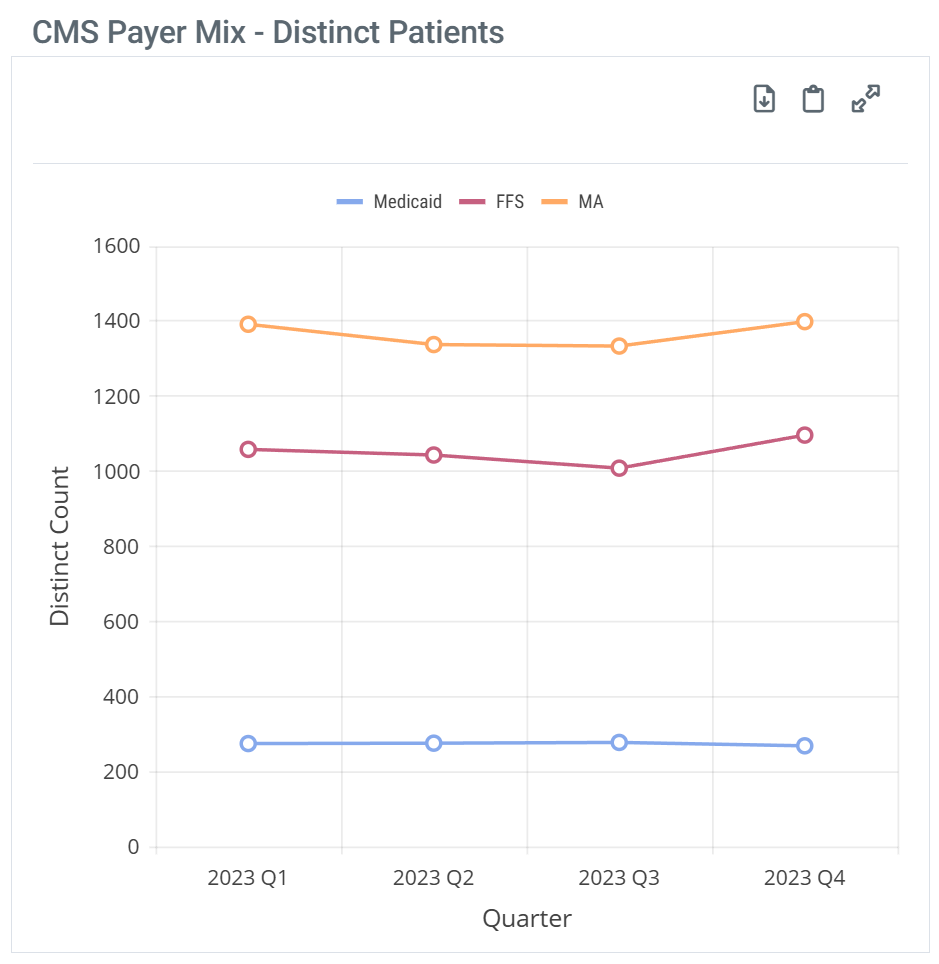
The CMS Payer Mix table shows distinct patient counts for the selected facility for the most recent year where comparative metrics can be displayed for Medicare FFS, Medicare Advantage, and Medicaid. The data for the listed year are broken out by quarter to show trends.
Chart View and Table View
|
Off
|
 |
|
On
|
 |
| When you hover over a column in the CMS Payer Mix chart, the metrics for the different patient counts represented in that column are displayed. | 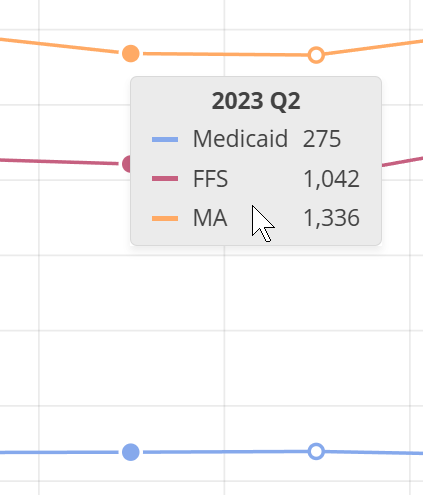 |
|
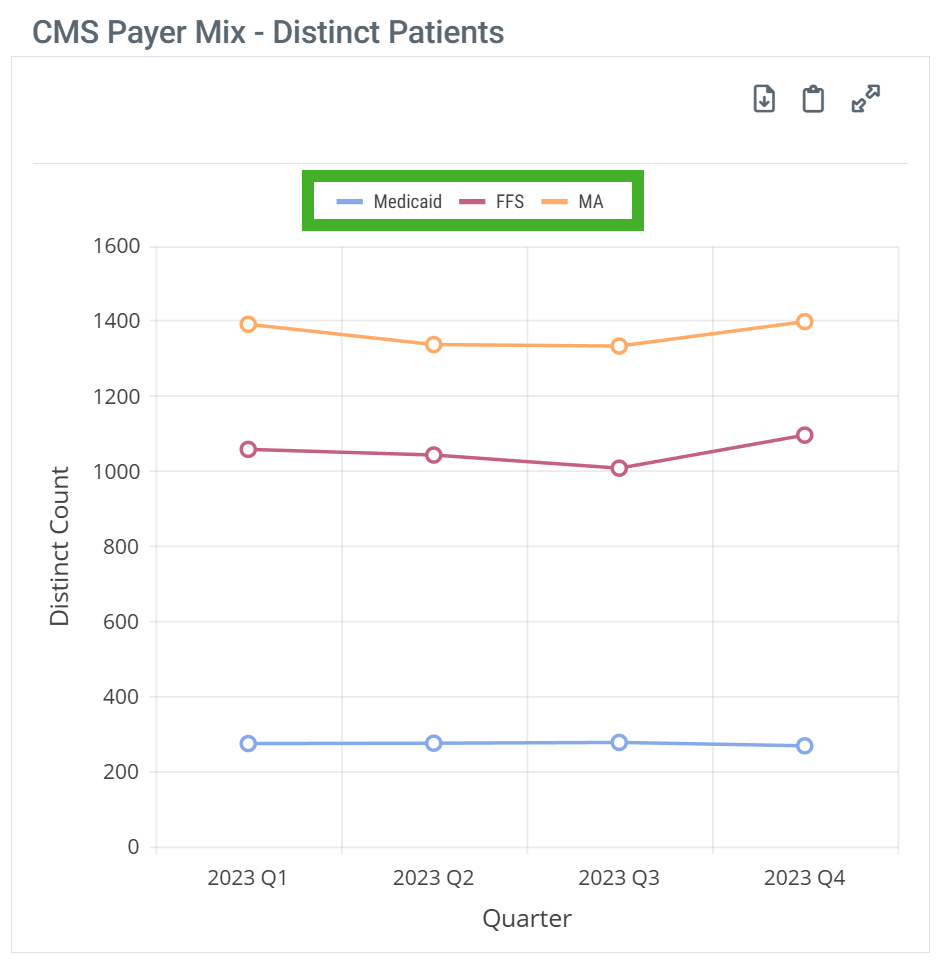
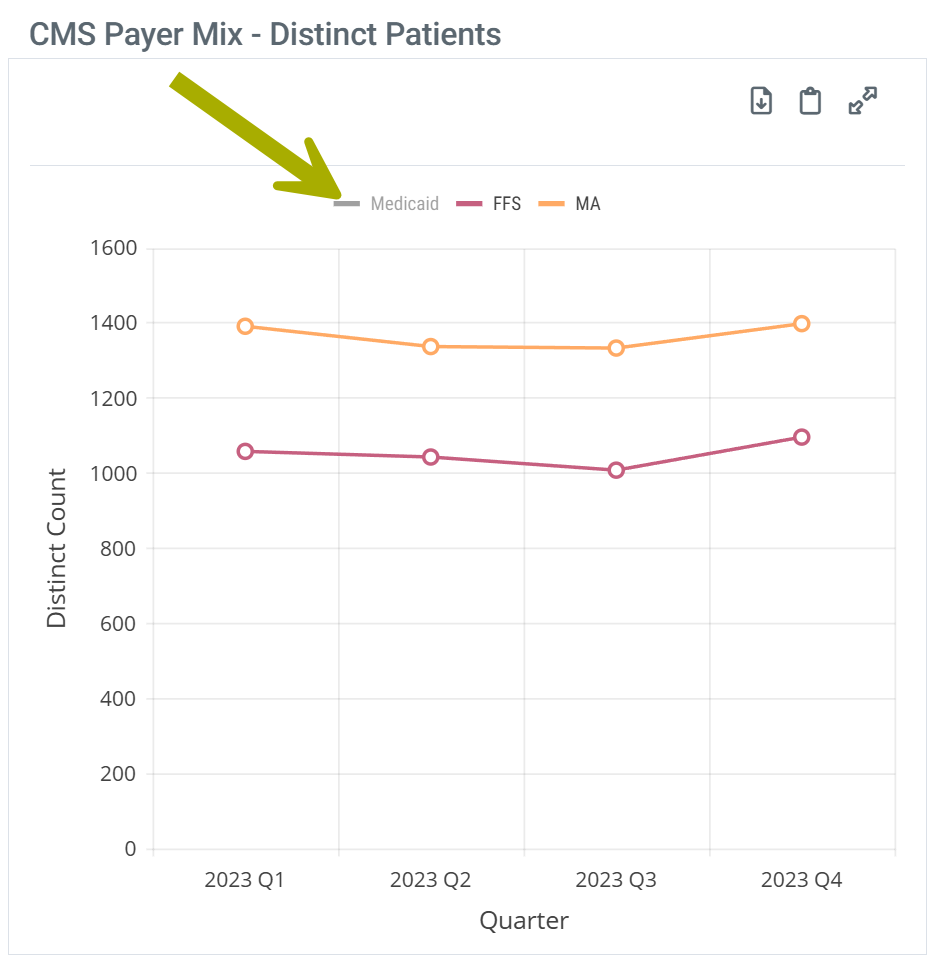
With chart view on the CMS Payer Mix chart has a legend that identifies the elements in the chart. Each different identifier in the legend can be toggled on and off to display or hide the matching elements in the chart. Hovering over an identifier highlights the related elements in the chart.
| |
| Chart Legend | Legend Customize |
 |
 |
Understanding the Metrics
This table and chart show the distinct patient counts for the following CMS payers:
- Medicare FFS
- Medicare Advantage
- Medicaid
 Counts displayed are based on the most recent data available for 100% of FFS, MA, and Medicaid provided by CMS. Distinct patient counts are based on the FFS, MA, and Medicaid claims submitted by the selected provider and therefore the same patient may be included in multiple payer groups during the same time period. Since Medicare Advantage data is only released after two years, the three data sets align with the most recent complete MA data. The most recent period can be found at the top right of any page in Trella Insights.
|
(Patient Location) - County
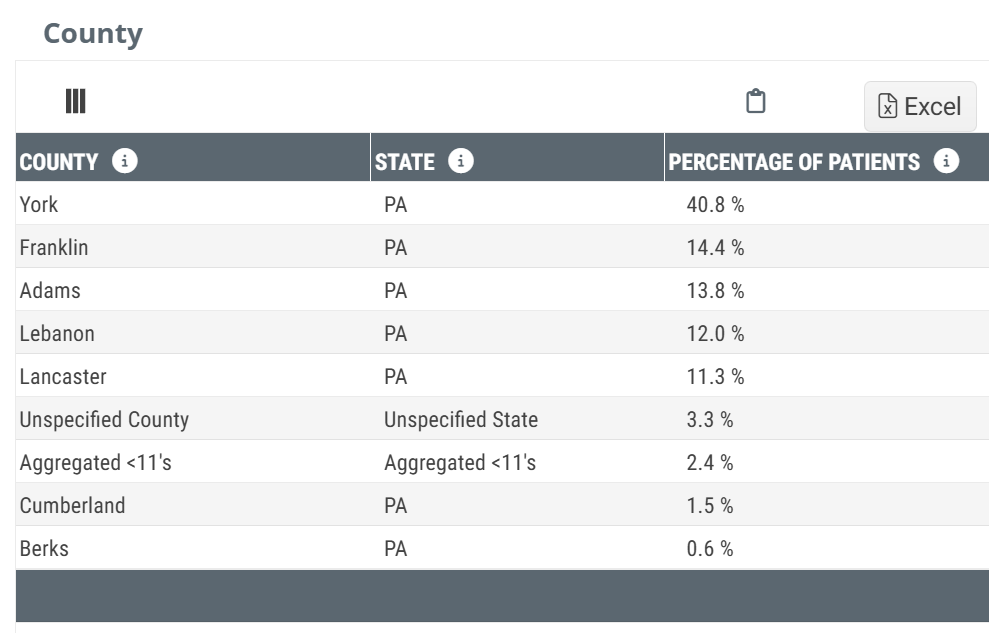
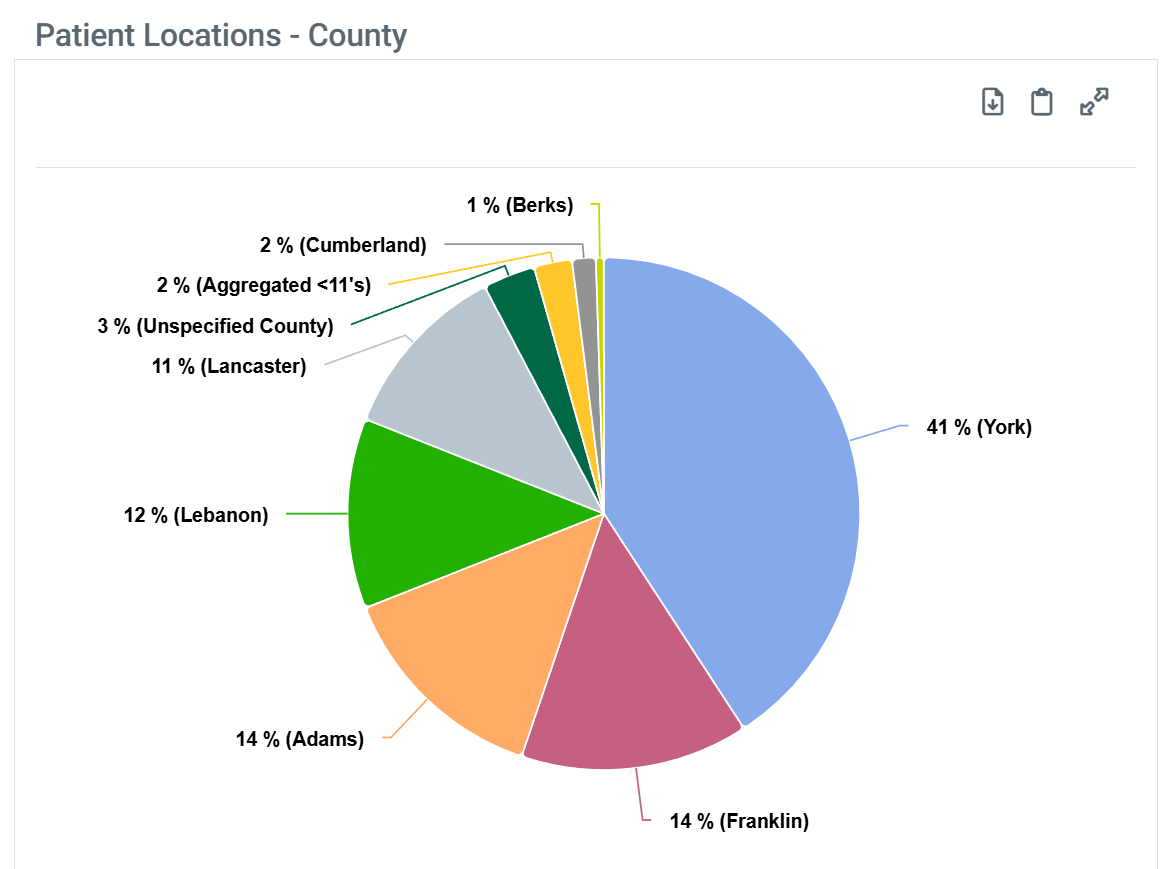
The Patient Location - County shows the percentage of patients treated by the selected facility within the one-year reference period who resided in the listed county at the time their initial home health admission claim was filed. The one-year reference period aligns with the end of the last quarter for the most recent data set included in Trella Insights.
Chart View and Table View
|
Off
|
 |
|
On
|
 |
| When you hover over a sector in the Patient Location - County chart, the metrics for that sector are displayed. | 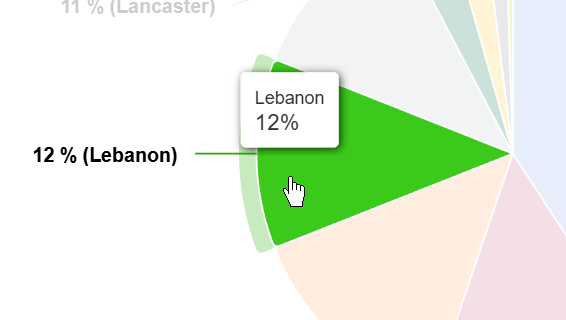 |
| The Patient Location - County chart does not have a legend. |
Understanding the Metrics
County
For the selected home health agency, this table contains the names of the counties and the percentage of patients for each county from the facility's total patient count.
State
For providers that serve multiple states, sometimes there might be two counties in different states with the same name. We have added the state in which the county resides to differentiate the counties in this situation.
Since these metrics are based on the patients' place of residence, it is possible to have counties from states other than the state of the facility's location. This will be especially true for facilities located in smaller states or near state lines. Those "out of state" counties will only be included in this table if there is a sufficient count of patients.
Aggregated INS Counties and "Other"
- Any and all counties where the percentage was calculated from a count of less than 11 patients will not be identified in the table but will be aggregated into the row titled, "Aggregated INS County."
- For example, if the agency had 100 patients in the reporting period, any county with 10% of the total or less would represent less than eleven patients in that location and therefore, that location will not be identified, but would be combined with all other locations also not specified.
Unspecified State
Not every claim contains a location of residence for the patient. Those claims are combined into this row/sector.
|
Market Share - County
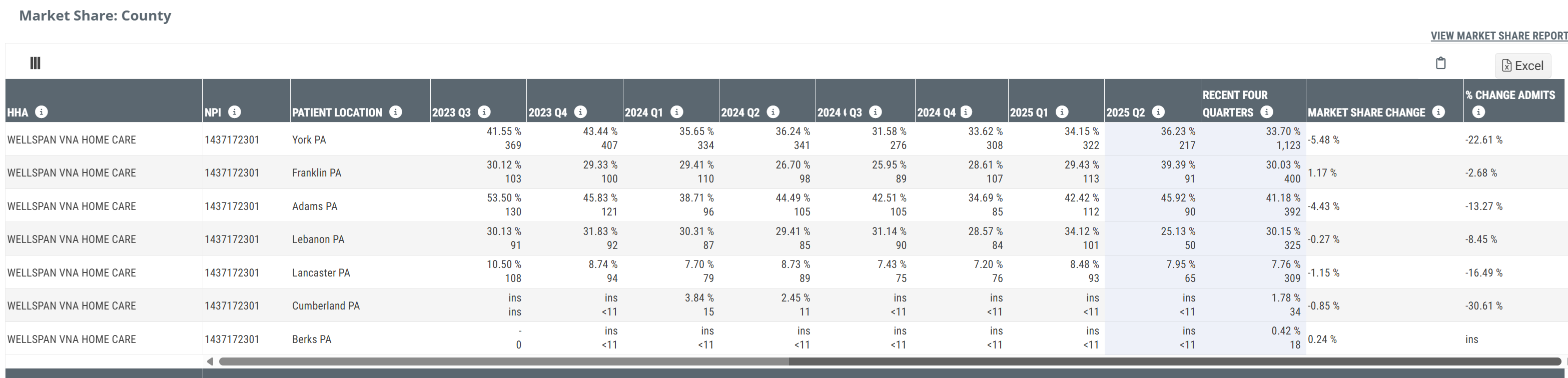
The Market Share - County table contains counts of patients and market share percentages for the selected home health agency in the county you selected. There are 8 quarters of metrics that allow you to see long range trends.
Chart View and Table View
|
Off
|
  Click on the image to enlarge it. Click on the image to enlarge it. |
|
On
|
There is no chart for this content |
Understanding the Metrics
Metric Name |
Description |
| HHA/NPI | The name and NPI of the selected home health agency as listed in the CMS Provider Data file. |
| Patient Location | The county and state of residence for the patients for whom the metrics in each row apply |
|
Recent Four Quarters and Quarterly columns - 20XX QY The annual metrics and the quarterly metrics are calculated the same way.
Top/Bottom - Each Cell includes two metrics |
Two metrics Top - This is the percentage of all patients who resided in the listed state/county who were admitted to the selected home health agency during the year or quarter identified in the header. In short, this is the market share of home health patients admitted to the selected home health agency for the listed county. Bottom - This is the count of the patients who resided in the selected county who were admitted to the selected home health agency during the year or quarter identified in the header.
|
| Market Share Change | This metric is the change in market share between the most recent four quarters compared to the previous four quarters. |
| % Change Admits | This is the percent of growth or loss of patient census for the home health agency year over year. |
|
For a lot more information about market share metrics, see HHA - Reports - Market Share tab. | |

|
Patient Acuity/Diagnostic Mix
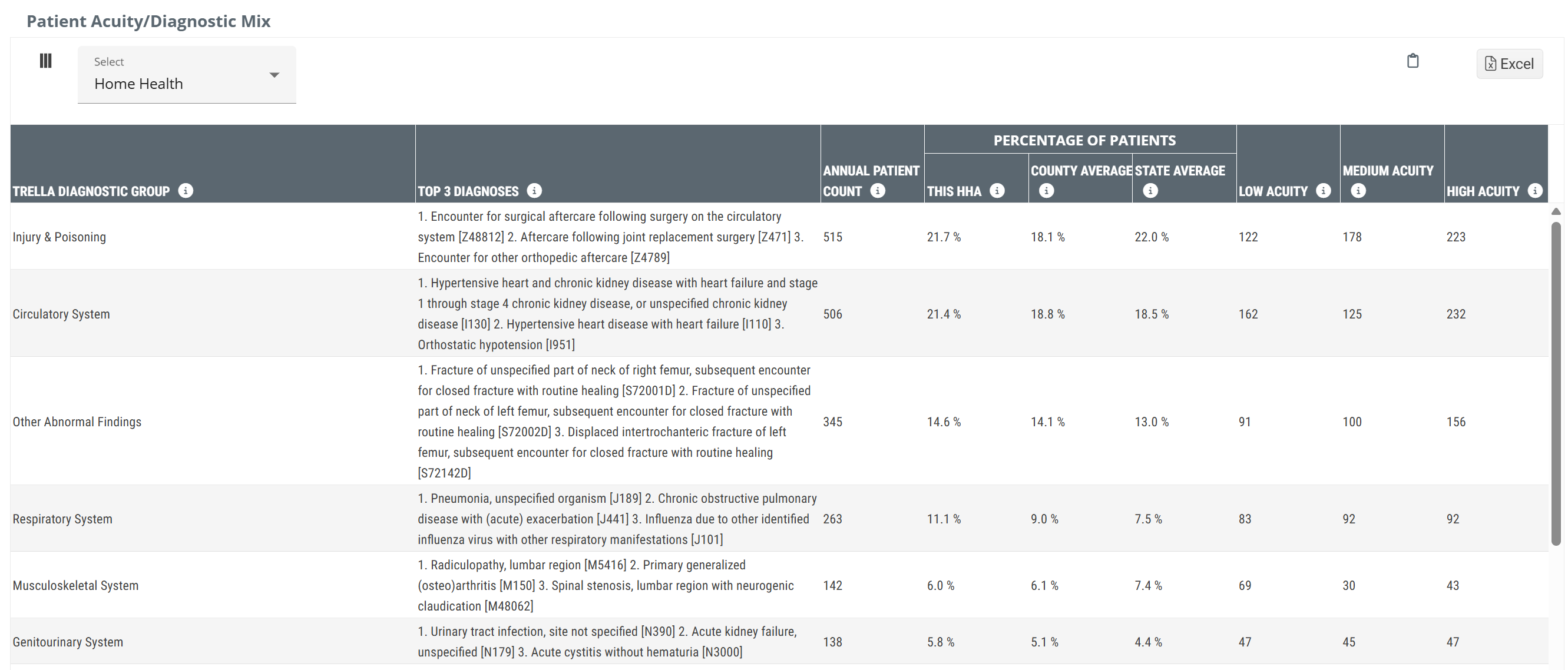
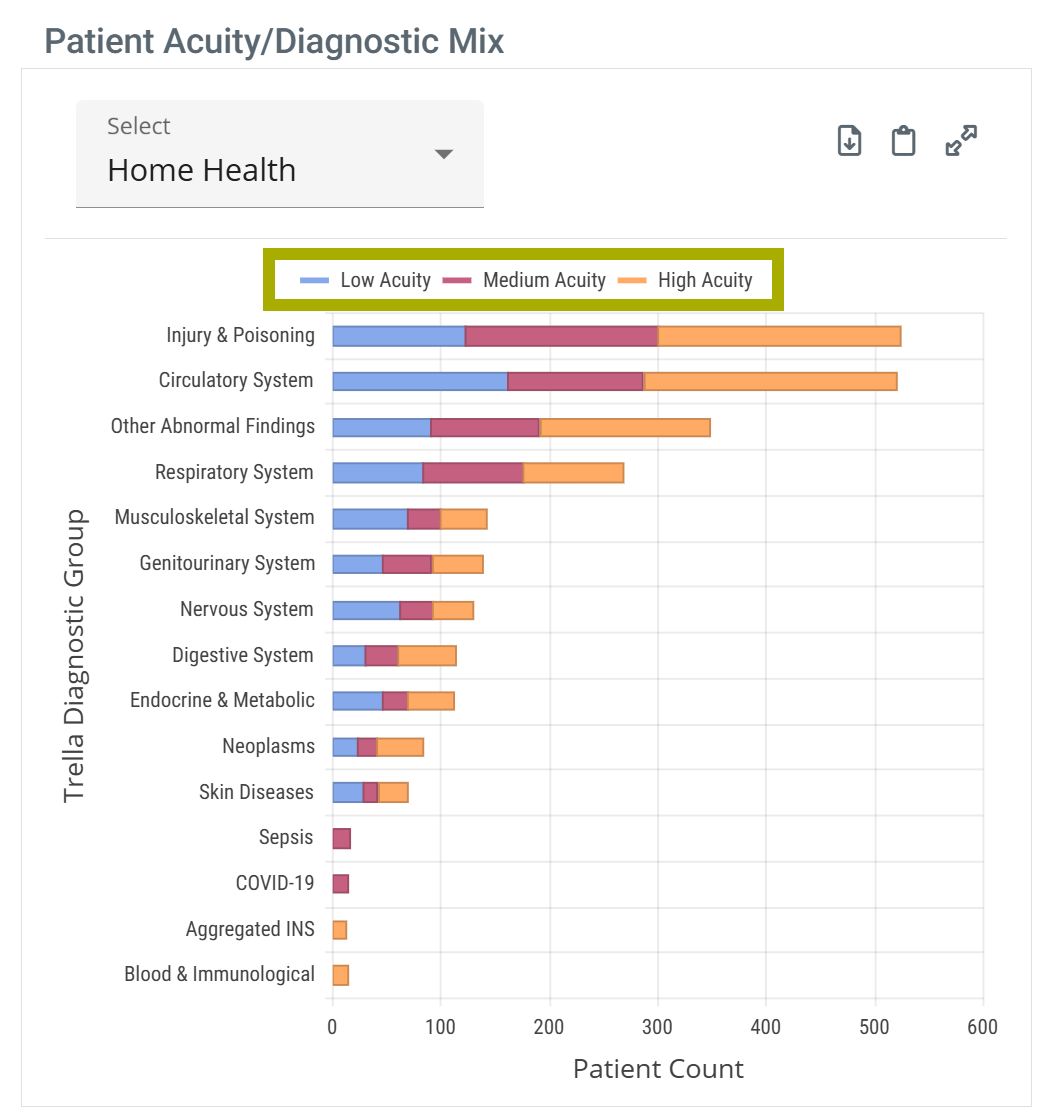
The Patient Acuity/Diagnostic Mix table contains metrics related to patients treated by the selected home health agency broken out by diagnoses that align with the listed Trella Health Diagnostic Groupings.
Table and Chart View
|
Off
|
 |
|
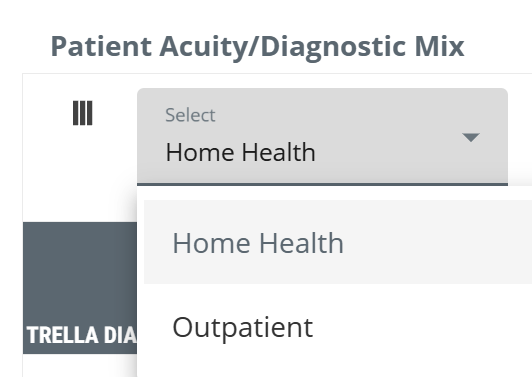
Filter Dropdown The dropdown at the top left of the table allows you to choose the claim type for the metrics in the table.
|
 |
|
For more information on why a home health agency would have outpatient claims, see Claim Types vs Facility Types. | |
|
On
|
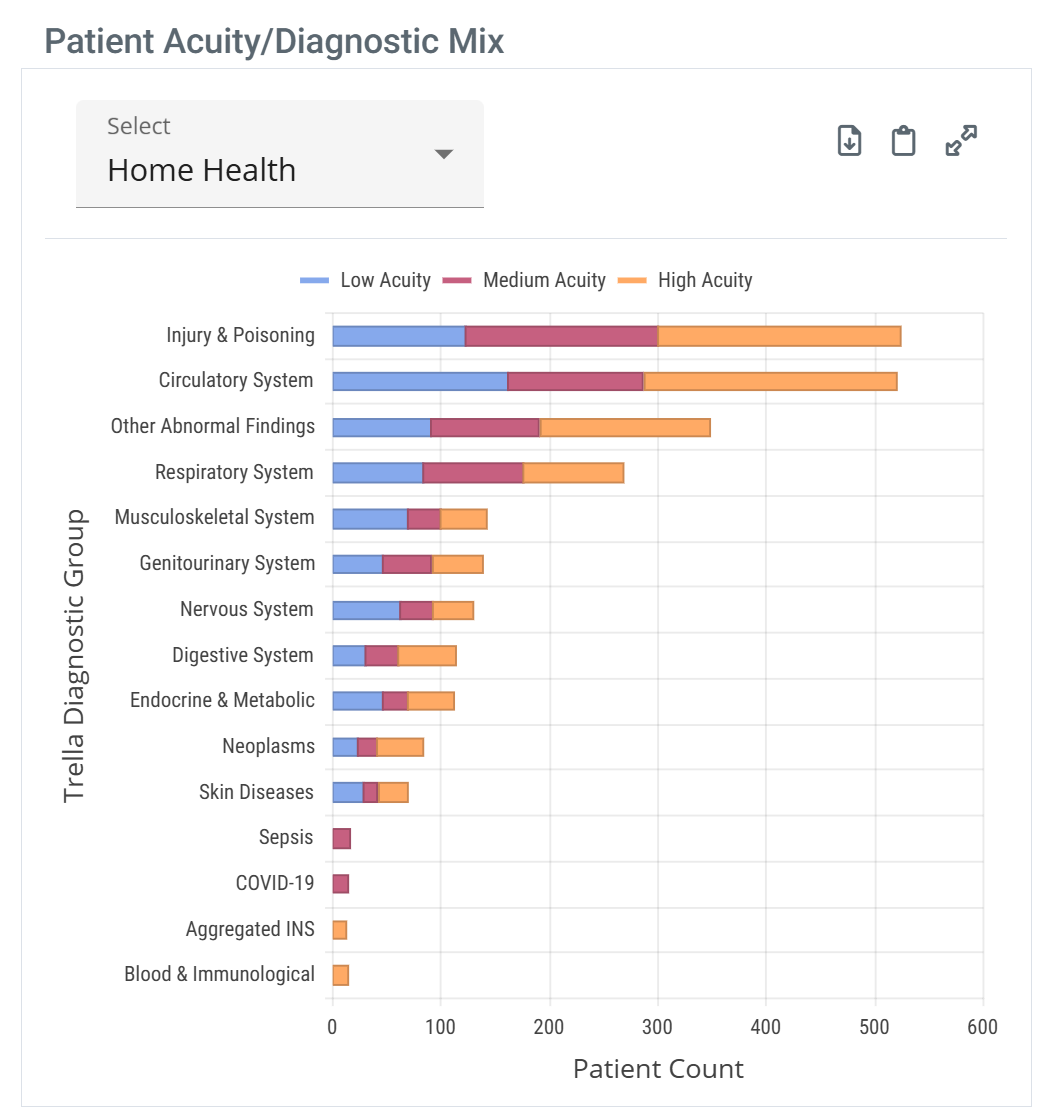 |
| When you hover over a bar in the Patient Acuity/Diagnostic Mix chart, the metrics for the different patient counts represented in the bar are displayed. | 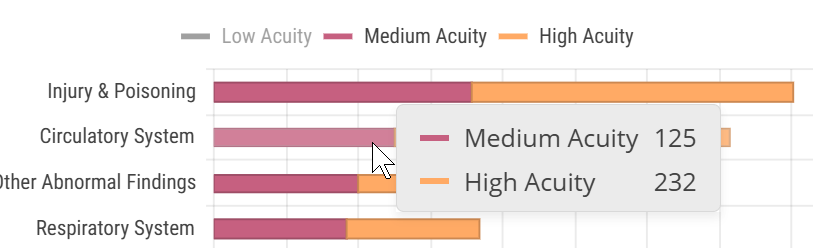 |
|
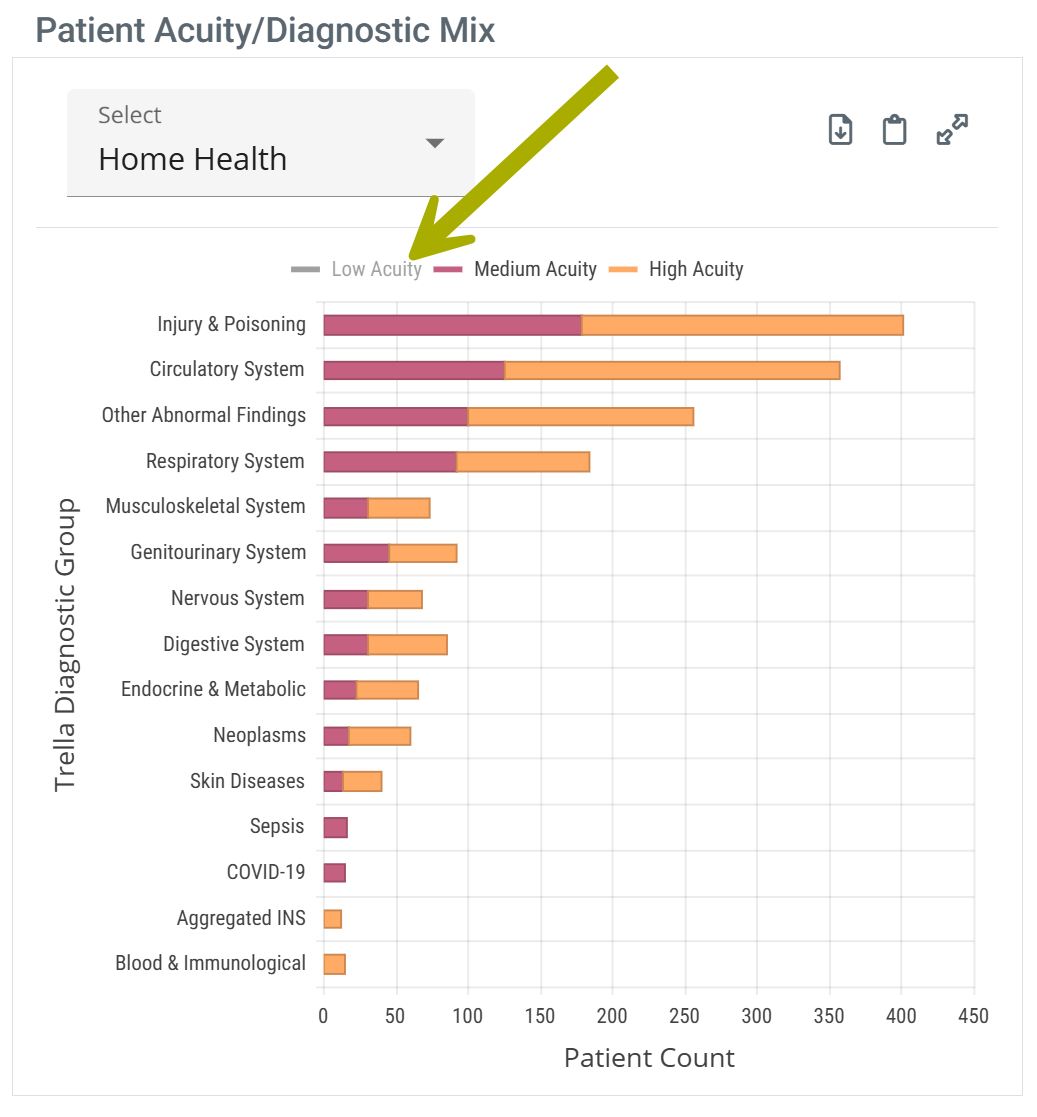
With chart view on the Patient Acuity/Diagnostic Mix chart has a legend that identifies the elements in the chart. Each different identifier in the legend can be toggled on and off to display or hide the matching elements in the chart. Hovering over an identifier highlights the related elements in the chart.
| |
| Chart Legend | Legend Customize |
 |
 |
Understanding the Metrics
Metric Name |
Description |
|
| Trella Diagnostic Group | The Trella diagnostic group, determined by the primary diagnosis on the claim for the patients counted | |
| Top 3 Diagnosis |
This column lists the top three diagnoses (based on the primary ICD-10-CM diagnosis code) for patients treated by the the selected home health agency that fall within the listed Trella diagnostic group. All of the Trella Health Diagnostic Groups have far more diagnosis codes. Use these as a general guideline. For details, see the article listed below. |
|
| Annual Patient Count | The count of distinct patients admitted to the selected home health agency who had a diagnosis on their claim that aligns with the listed Trella Health Diagnostic Grouping. | |
| Percentage of Patients | This HHA |
"This" refers to the selected home health agency The percentage of all patients admitted to the selected home health agency who had a diagnosis on their claim that aligns with the listed Trella Health Diagnostic Grouping. |
| County Average | The percentage of patients admitted to all home health agencies in the same county as the selected home health agency who had a diagnosis on their claim that aligns with the listed Trella Health Diagnostic Grouping. | |
| State Average | The percentage of patients admitted to all home health agencies in the same state as the selected home health agency who had a diagnosis on their claim that aligns with the listed Trella Health Diagnostic Grouping. | |
| Low Acuity | The count of patients evaluated as low acuity who had a diagnosis on their claim that aligns with the listed Trella Health Diagnostic Grouping. | |
| Medium Acuity | The count of patients evaluated as medium acuity who had a diagnosis on their claim that aligns with the listed Trella Health Diagnostic Grouping. | |
| High Acuity | The count of patients evaluated as high acuity who had a diagnosis on their claim that aligns with the listed Trella Health Diagnostic Grouping. | |
|
For more on how Trella Health evaluates patient acuity, see Trella Health Patient Acuity. | ||
For more information on Trella Diagnostic Groups, see Trella Health Diagnostic Groupings.
|
Chronic Conditions
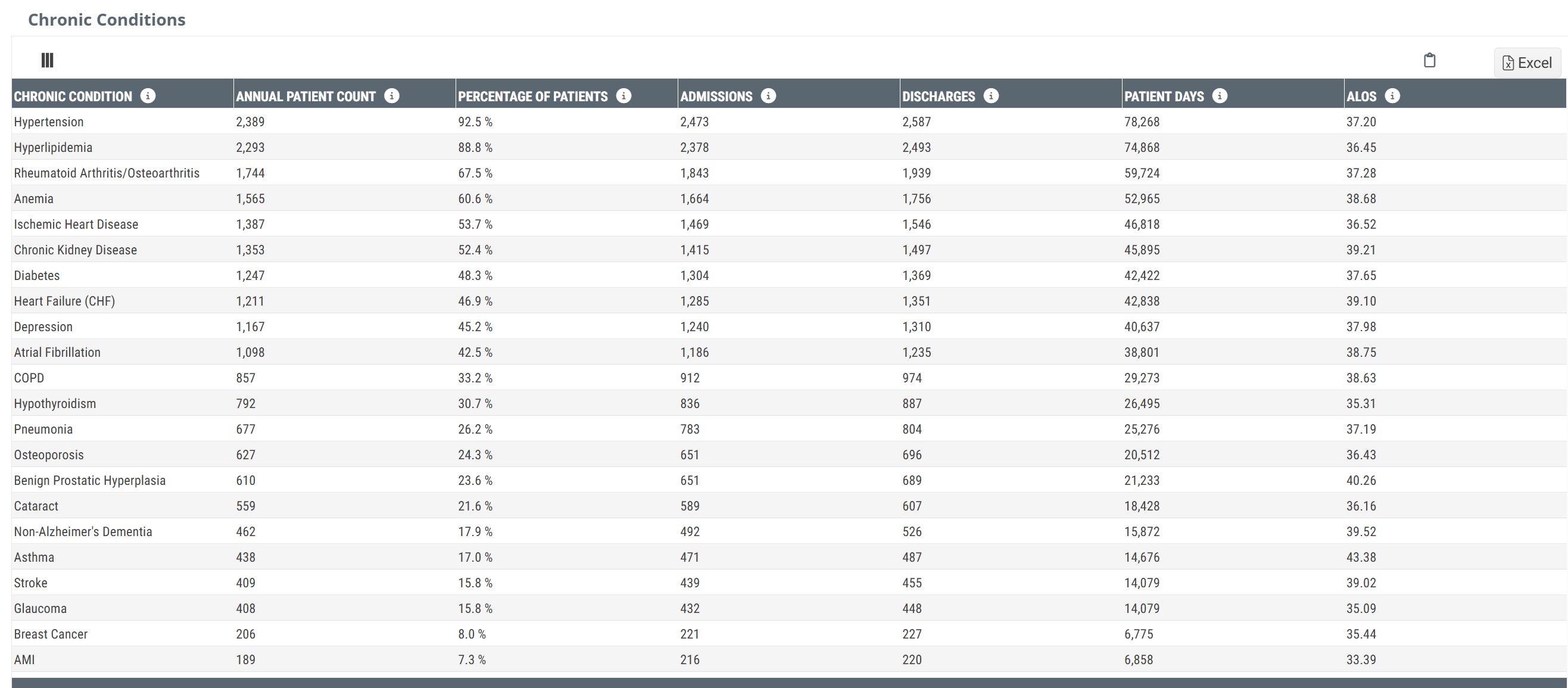
The Chronic Conditions table contains metrics related to patients treated by the selected home health agency broken out by chronic conditions.
Table View
|
Off
|
 |
|
On
|
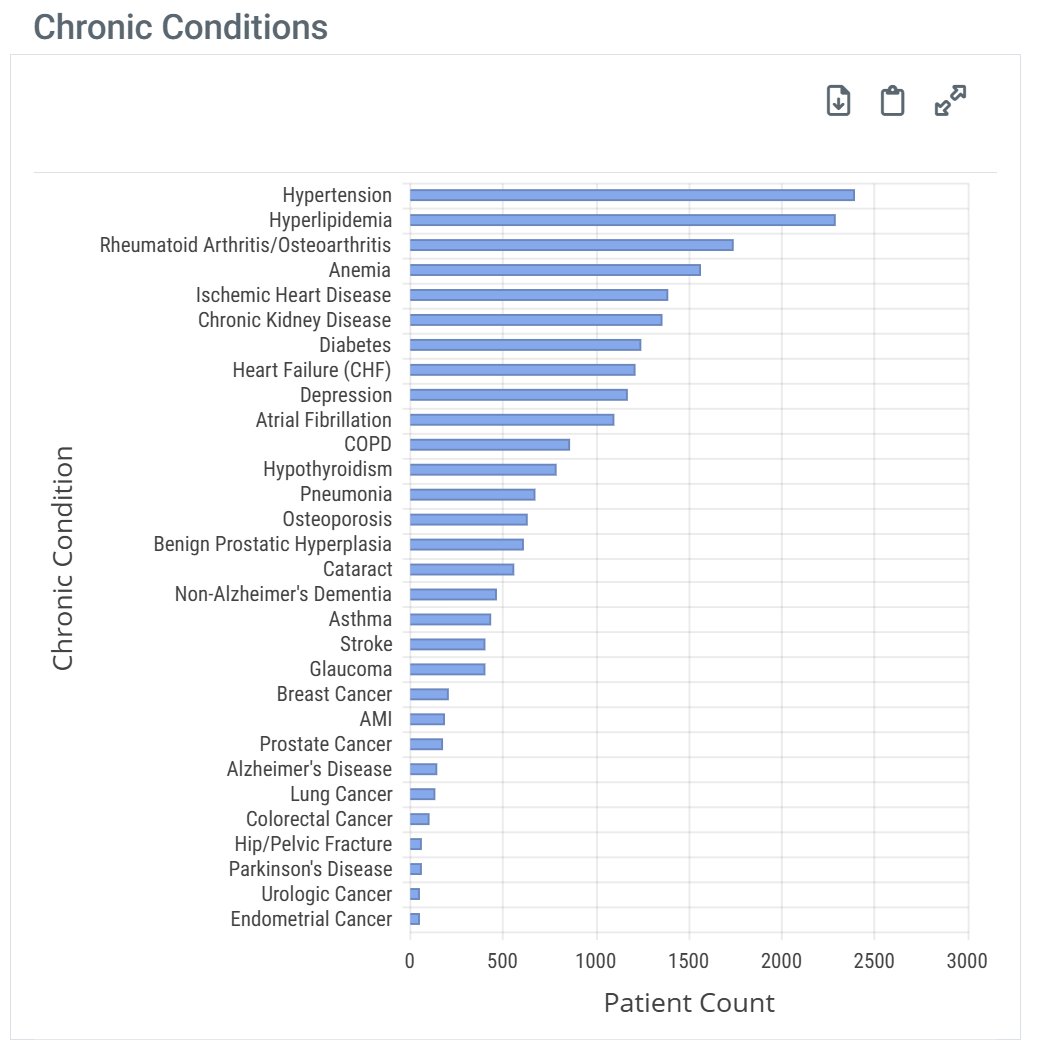 |
| When you hover over a bar in the Chronic Conditions chart, the metric for the patient count represented in the bar is displayed. | 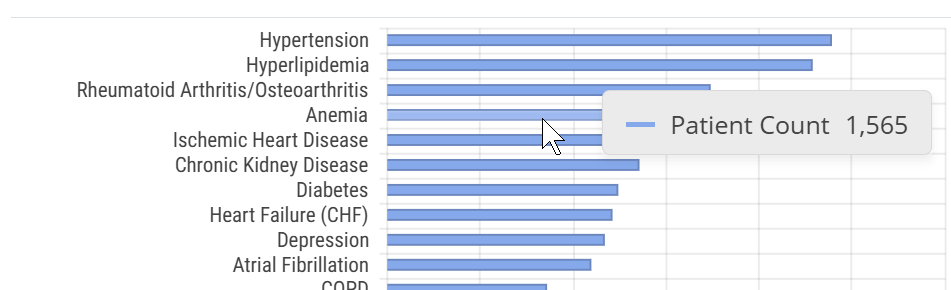 |
Understanding the Metrics
Metric Name |
Description |
| Chronic Condition |
Name of the chronic condition developed from CCW Chronic Condition algorithms that search the CMS administrative claims data for specific diagnosis codes, MS-DRG codes, or procedure codes.
|
| Annual Patient Count | The count of distinct patients treated by the selected home health agency during the one-year reporting period who met the criteria for the listed chronic condition based on the CCW Chronic Condition algorithm. |
| Percentage of Patients | The percentage of distinct patients treated by the selected home health agency who had a diagnosis on the claim that met the criteria for the listed chronic condition based on the CCW Chronic Condition algorithm. |
| Admissions | The count of admissions to the selected home health agency during the one-year reporting period who met the criteria for the listed chronic condition based on the CCW Chronic Condition algorithm. |
| Discharges | The count of discharges from the selected home health agency during the one-year reporting period who met the criteria for the listed chronic condition based on the CCW Chronic Condition algorithm. |
| Patient Days | The sum of patient days for patients treated during the one-year reporting period who met the criteria for the listed chronic condition based on the CCW Chronic Condition. |
| Average Length of Stay | The average length of stay for patients discharged during the one-year reporting period who met the criteria for the listed chronic condition based on the CCW Chronic Condition. |
|
For more information on how Trella Health calculates average length of stay metrics, see Average Length of Stay. | |
|
Patient Age
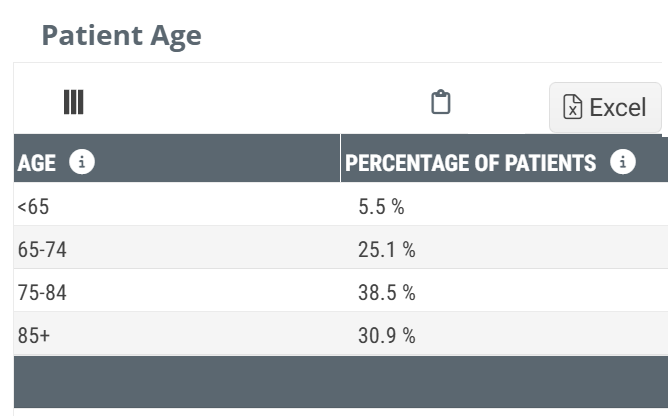
This table shows the age breakdown for patients treated by the selected home health agency by percentage for each listed age grouping.
Chart View and Table View
|
Off
|
 |
|
On
|
There is no chart view for these metrics |
|